
Shopify Setup Documentation
This guide contains a step by step approach to generate API credentials required for our FeedIQ application to capture product, price and inventory information from Shopify
Please follow this step by step:



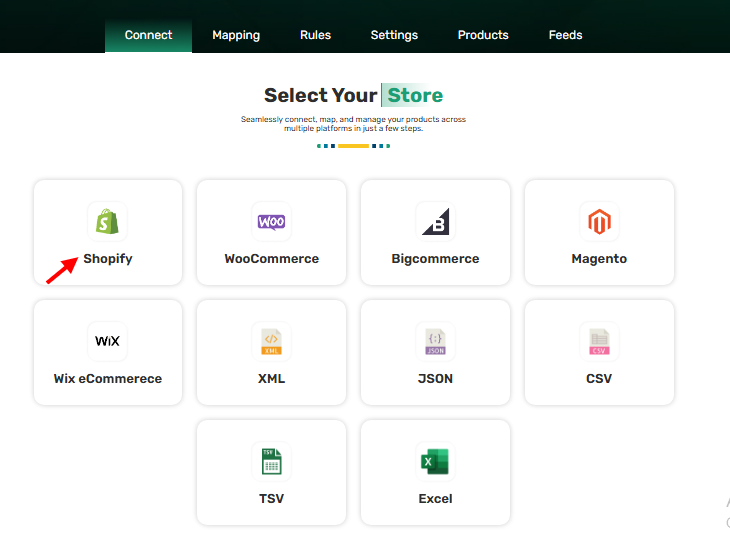
Step 1
Please sign in to the FeedIQ website and navigate to the Dashboard.
There, you will see the Connect Store screen.
Click on “Shopify” to proceed with connecting your Shopify store.
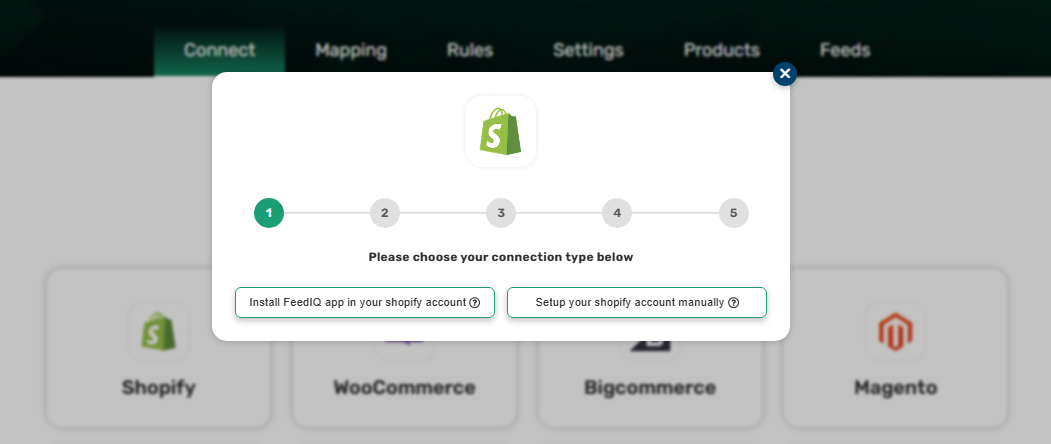
Step 2
The pop-up will appear.
Then, select the option “Set up your Shopify store manually.”
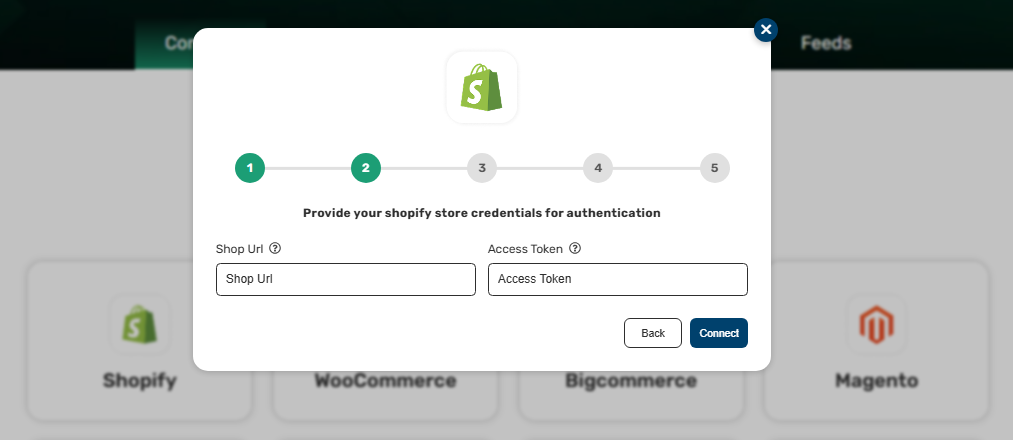
Step 3
Provide your Shopify store credentials for authentication
Enter your Shop URL and Access Token here.
Then click on “Connect.”
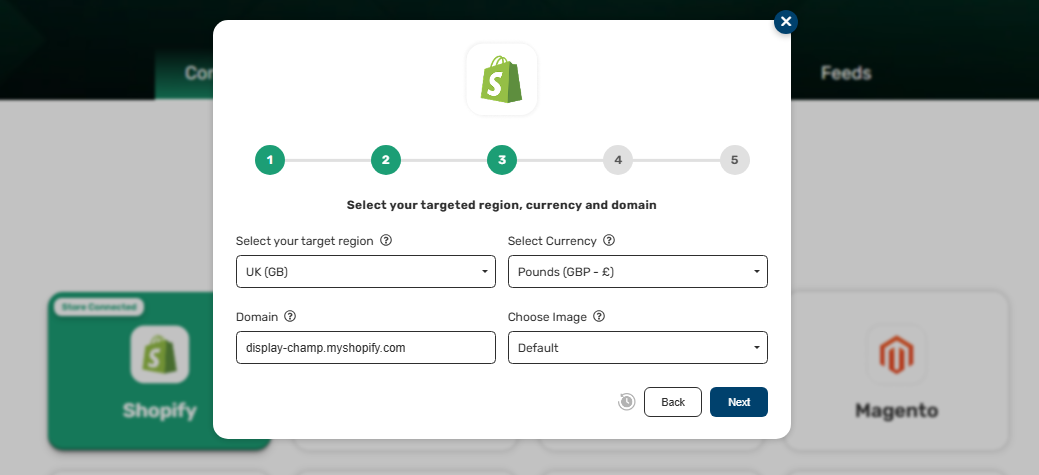
Step 4
Select your target region, currency, and domain.
Enter the required details, then click “Next” to proceed.
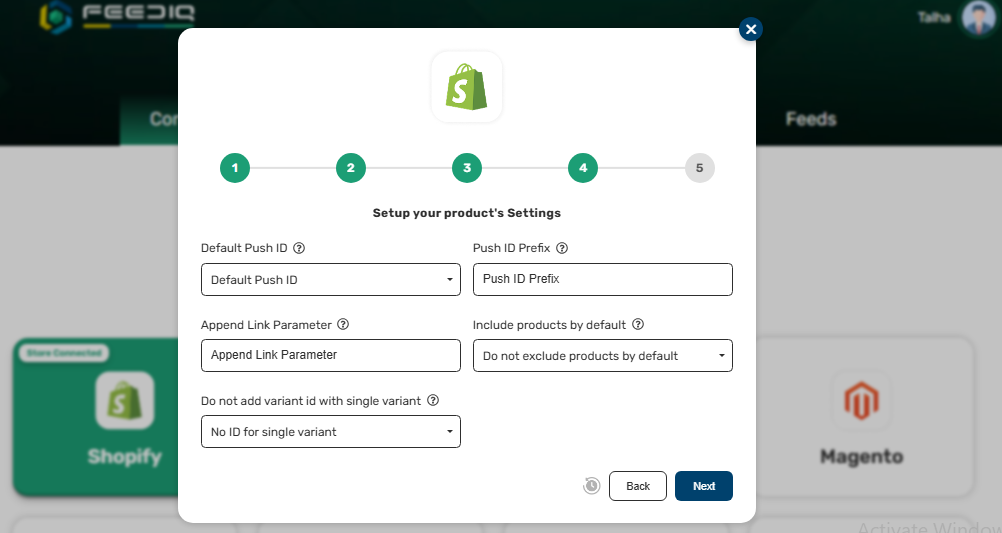
Step 5
Set up your product's Settings
Please provide your specific product settings
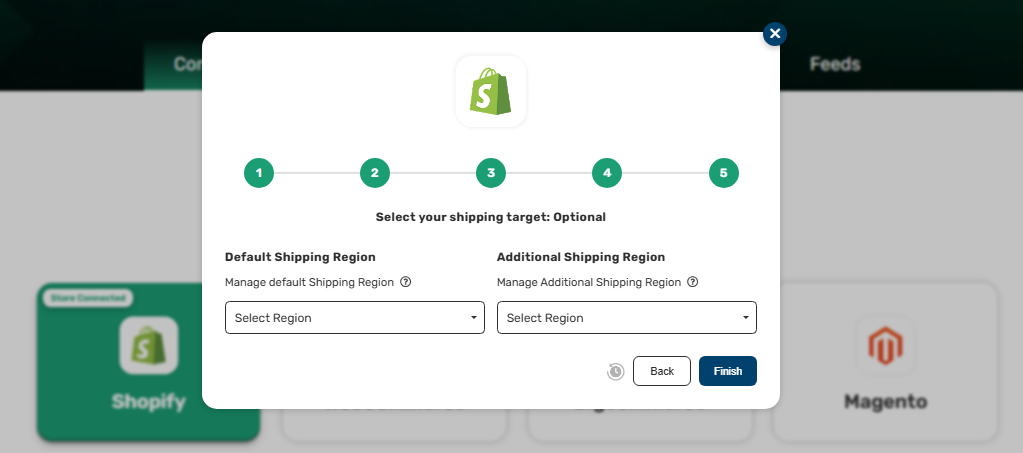
Step 6
Set up your product's Settings
Please provide your specific product settings
Click on ‘Save’ after making the changes.
FeedIQ needs ‘Read access’ to the above items to create product feed required for Google Merchant Centre and other shopping channels.
Shopify Documentation Policies
| Policy | Summary |
|---|---|
| Privacy Policy | We collect and protect customer data responsibly. |
| Terms of Service | Rules for using our website and making purchases. |
| Cancellation Policy | Subscription may be cancelled within the allowed window. |
| Payment Policy | Accepted payment methods and secure transactions. |
Was this guide helpful?